Fire TV Stick + HBO Max: Ultimate Streaming Combo
As an avid streamer, I’ve always looked for the perfect combination of hardware and software to enhance my viewing experience. I’m thrilled to share my insights on the dynamic duo of the Amazon Fire TV Stick and HBO Max. These two powerhouses have joined forces to revolutionize how we consume our favourite shows, movies, and more.
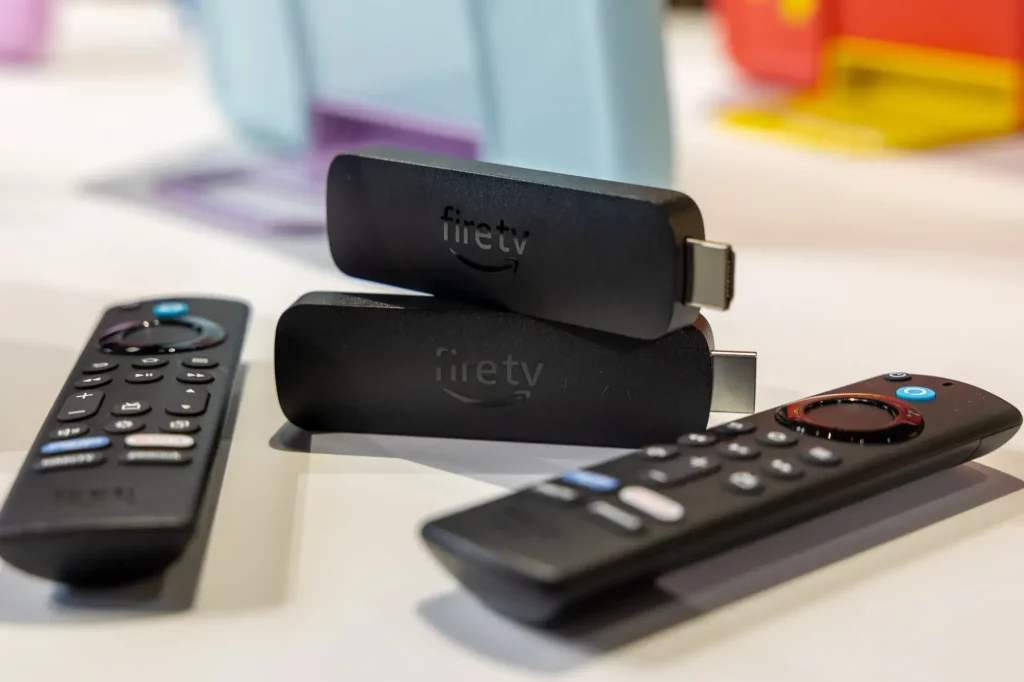
The Amazon Fire TV Stick is a compact yet mighty streaming device that transforms any TV into a bright, connected hub. With its lightning-fast performance, seamless integration with popular apps and services, and intuitive voice control, the Fire TV Stick has become a staple in households worldwide. And when you pair it with the incredible HBO Max content library, the entertainment possibilities are endless.
Table of Contents
What is HBO Max and its features?
HBO Max is the iconic HBO brand’s latest and greatest streaming platform. HBO Max is a true powerhouse in the streaming landscape with a vast library of critically acclaimed shows, blockbuster movies, and exclusive originals. From the latest episodes of “Succession” to the beloved classics of “Friends,” HBO Max offers something for everyone.
However, what truly sets HBO Max apart is its commitment to quality. The platform boasts an impressive selection of 4K Ultra HD content, allowing you to experience your favourite shows and movies in stunning visual clarity. The platform’s seamless integration with Dolby Atmos audio technology also ensures an immersive and cinematic viewing experience.
How to install HBO Max on Fire TV Stick
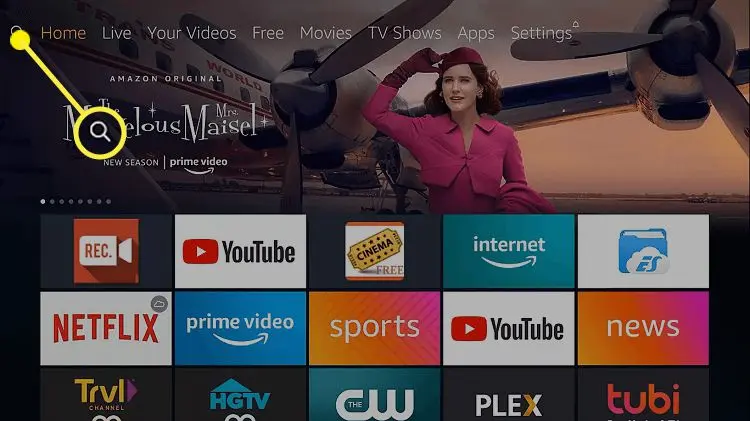
Installing HBO Max on your Fire TV Stick is simple. Here’s a step-by-step guide:
- Navigate to the Fire TV Stick’s home screen: Select the “Apps” section from the main menu.
- Search for HBO Max: Use the on-screen search function or your voice commands to find the HBO Max app.
- Download and install the app: Select the HBO Max app and click “Download” to begin installing.
- Sign in to your HBO Max account: Once the app is installed, launch it and sign in using your HBO Max credentials.
That’s it! You can access the entire HBO Max library on your Fire TV Stick with just a few clicks.
Troubleshooting common issues with HBO Max on Fire TV Stick
While the Fire TV Stick and HBO Max integration is generally seamless, there may be times when you encounter a few hiccups. Here are some common issues and how to resolve them:
- Buffering or lagging: If you’re experiencing buffering or lag during playback, try checking your internet connection speed and ensuring your Fire TV Stick is connected to a stable Wi-Fi network.
- Audio or video issues: If you’re experiencing audio or video problems, try restarting your Fire TV Stick or checking your TV’s input settings to ensure the device is connected correctly.
- Login or account issues: If you’re having trouble signing in to your HBO Max account, double-check your login credentials and ensure your account is active and in good standing.
If you continue encountering any issues, don’t hesitate to contact the HBO Max or Amazon customer support teams for further assistance.
Alternatives to HBO Max on Fire TV Stick
While HBO Max is undoubtedly a standout streaming service, other options exist on the Fire TV Stick. If you’re looking to explore different entertainment possibilities, here are a few alternatives to consider:
- Netflix: The classic streaming giant offering a vast library of movies, TV shows, and original content.
- Hulu: A popular choice for live TV, on-demand content, and exclusive originals.
- Disney+: The go-to destination for Disney, Marvel, Star Wars, and Pixar enthusiasts.
- Amazon Prime Video: Included with your Amazon Prime membership is a diverse selection of movies, TV shows, and Amazon Originals.

Each platform has unique strengths and features, so be sure to explore them to find the one that best fits your streaming preferences.
Also Raed: How to Play Fortnite on a Chromebook Like a Pro
Frequently Asked Questions
Q: Can I use HBO Max on my Fire TV Stick without a subscription?
A: No, it would help to have an active HBO Max subscription to access the platform’s content on your Fire TV Stick.
Q: Does the Fire TV Stick support 4K and HDR streaming for HBO Max?
A: The Fire TV Stick can stream HBO Max content in 4K Ultra HD and HDR provided that your internet connection and TV support these features.
Q: Can I download HBO Max content for offline viewing on my Fire TV Stick?
A: Unfortunately, HBO Max does not currently offer the ability to download content for offline viewing on the Fire TV Stick. The platform is primarily focused on streaming.
Q: How do I switch between multiple user profiles on HBO Max through my Fire TV Stick?
A: The HBO Max app on Fire TV Stick supports various user profiles, allowing you to switch between them easily. Navigate to the profile selection menu within the app.
Q: Should I pay extra for HBO Max if I already have a regular HBO subscription?
A: If you have an existing HBO subscription through a cable or satellite provider, you may be able to access HBO Max at no additional cost. Check with your provider for more details.
Ready to take your streaming experience to the next level? Click here to get your Amazon Fire TV Stick and sign up for HBO Max today!
Conclusion
The combination of the Amazon Fire TV Stick and HBO Max is a true powerhouse in the world of streaming entertainment. By seamlessly integrating these two remarkable platforms, you unlock a world of possibilities, from accessing a vast library of premium content to enjoying an unparalleled viewing experience.
Whether you’re a die-hard HBO fan, a cinephile, or simply someone who loves to be entertained, the Fire TV Stick and HBO Max make for the ultimate streaming duo. So, what are you waiting for? Upgrade your home entertainment setup and immerse yourself in the endless wonders of this dynamic pairing.