How to Change or Cancel Xfinity Service Easily | Step-by-Step Guide
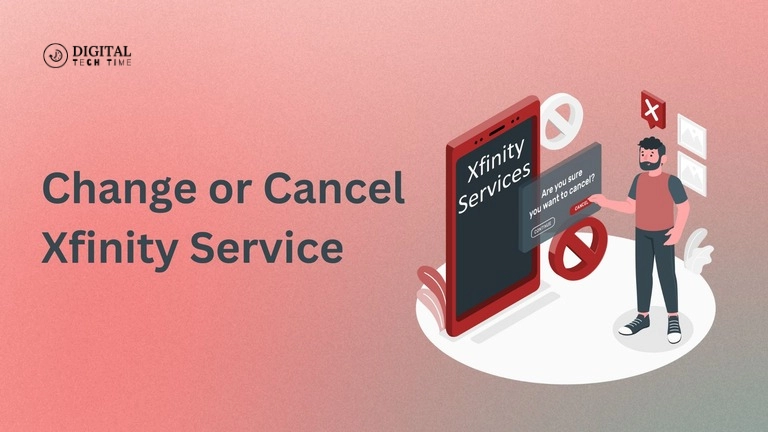
Xfinity is an Internet, cable TV, and mobile service provider with extensive coverage and flexible plans. However, a time may come when you will move to other services due to relocation, dissatisfaction, or just an upgrade. Be it transferring, modifying, or canceling your services with Xfinity, knowing the procedures will definitely help you keep clear of much extra hassle and unwanted charges. This guide will walk you through the steps how to change or cancel Xfinity service with clear information and practical advice.
Table of Contents
Why You Might Need to Change or Cancel Xfinity Service
Listed below are some of the prominent reasons for changing or canceling the service that customers for Xfinity do:

- Relocating to a new address where the availability of Xfinity may not be guaranteed.
- The quality of service and/or its price is poor, thus there is a need to change the same.
- Need to upgrade/downgrade the current plan to better meet new needs.
- Seasonal break: Switching off the service temporarily due to part-time residence.
Knowing your situation will best determine the course of action that will be the most appropriate for you, whether it involves changing your plan or canceling the service.
How to Change Xfinity Service
Moving Your Xfinity Service to a New Address
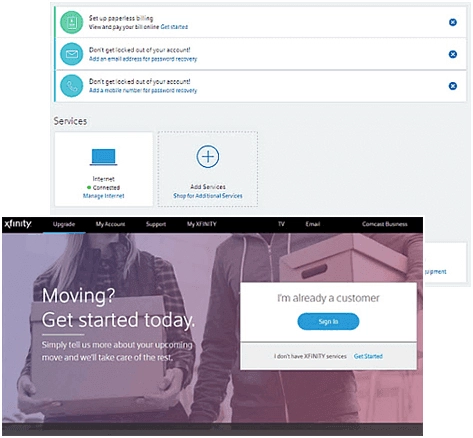
If you are moving but would like to retain Xfinity services, you can quickly transfer them to your new home. The Xfinity service relocation is easy to ensure minimal disruption in service.
Steps to Transfer Xfinity Service:
- Sign In: Go to xfinity.com/moving and sign in. Provide details of your move by entering the new address, moving date, and contact information.
- Review and Update Your Plan: You can either select your current plan or update it if need be.
- Installation Options: Self-installation or professional installation; the latter will require a service charge.
- Review Order: Preview and Place Your Order: You will receive a confirmation from Xfinity.
By following these steps, you can ensure that your Xfinity service is up and running at your new location without any hassle.
Seasonal Hold: Pausing Xfinity Service
For snowbirds who are heading south to be seasonals or on an extended vacation, Xfinity offers an easy way to put services on hold temporarily. This will save you the inconvenience of the whole cancel and resubscribe process when you come back.
How to Pause Xfinity Service:
- Go to comcastseasonal.com and log on to request the Seasonal Convenience Plan.
- Pick the services you want to suspend, like TV, internet, or phone.
- Verify how long it’s going to be held and what it will cost you. The pricing is usually lower during this period.
Pausing your service instead of canceling can help avoid early termination fees and save you time in the long run.
How to Cancel Xfinity Service
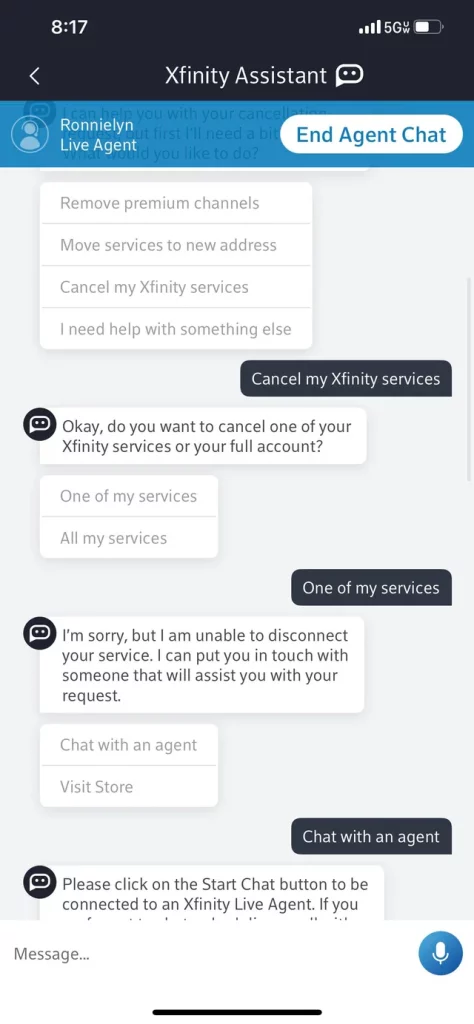
There are various methods of discontinuing your subscription with Xfinity. But it’s essential to take steps to avoid further troubles or unwarranted charges.
Methods to Cancel Xfinity Service:
- Request a Callback: You need to log into the Xfinity website and request a callback. This will start the process of cancelation.
- Go to an Xfinity Store: You can cancel in-store. Take a trip to your local Xfinity store and return any equipment you may be renting.
- Mail a Letter to Them: Send a letter including your details via mail to Comcast Cable, ATTN: Service Change Requests, 1701 JFK Blvd., Philadelphia, PA 19103.
- Online Cancellation: Fill out the online Cancellation Form on the Xfinity website and then wait for a representative to verify it within two business days.
Regardless of the method you choose, Xfinity requires you to speak with a representative before your service is officially canceled.
Returning Xfinity Equipment
When canceling your service, it’s crucial to return any rented equipment to avoid additional fees.
Ways to Return Equipment:
- Xfinity Store: Return equipment directly to a store for immediate removal from your account.
- UPS Store: Drop off the equipment at a UPS store with a prepaid shipping label provided by Xfinity.
- At-Home Pickup: Schedule a UPS pickup if you can’t make it to a store.
Ensure that all rented items are accounted for and returned to avoid any unreturned equipment charges.
Early Termination Fees
If you cancel your Xfinity service before your contract ends, you may be subject to early termination fees (ETF).
ETF Breakdown:
- $10 for each remaining month on a 12-month contract.
- Exceptions include military deployment, account holder death, or downgrading services.
Be sure to calculate these fees before making your decision to cancel, as they can add up quickly.
Frequently Asked Questions
Can I Cancel Xfinity Service for Free if I Move?
In most cases, you won’t be charged an early termination fee if you are moving into a non-Comcast serviceable area. On the other hand, an ETF may be applied if you move to a Comcast area and don’t transfer the service.
How Long Does It Take to Cancel Xfinity Service?
Cancellation usually takes at least two business days, though the period will be more extended if you have rented equipment that needs to be returned or if there is an issue with your account.
What Happens After You Cancel Xfinity Service?
Once your cancellation is complete, you will no longer have access to services from Comcast Xfinity. You must return equipment that you rent from them and pay the final bill, which may include prorated charges or termination fees.
Can I Suspend Xfinity Service Instead of Canceling?
Yes, with Xfinity, you can get a Seasonal Convenience Plan that will let you suspend your service temporarily. This will be great for part-time residents or those who travel for extended periods.
Read Also: How to Cancel a DoorDash Order
Conclusion
Trying to change or cancel an Xfinity service does not have to result in headaches. It may be due to a move, upgrade, or just lousy service—but following the right steps will help you avoid unnecessary fees and disruptions. You can make the best decision based on your needs by understanding the options available for transferring the service, pausing, or canceling it entirely. Return any rented equipment and settle outstanding balances if you want a smooth transition. If thinking of canceling Xfinity service, just know that there are options to choose from and that some may involve fees.
This post is a step-by-step guide on how to change or cancel Xfinity service, making sure that you have all the information at your fingertips for making the right decision. Even if you are transferring, putting your plan on hold, or canceling, knowing the process will surely save you time and money.