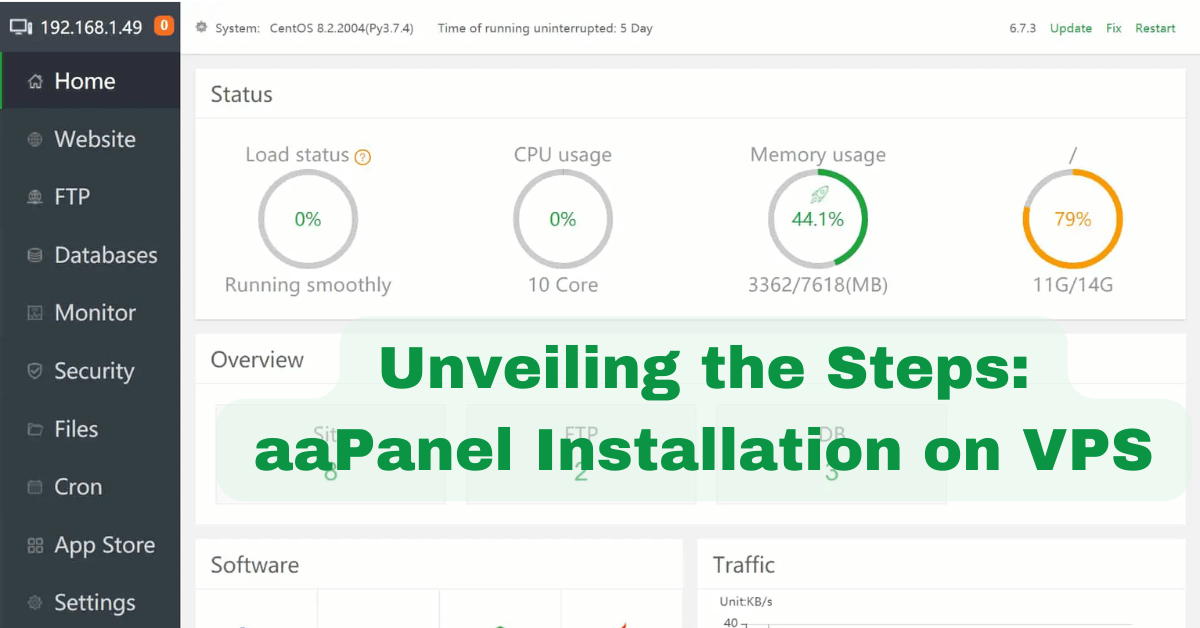
install aaPanel on a VPS: A Beginner’s Guide to Setting Up Your Website
Are you tired of manually setting up and managing your VPS? Look no further! In this guide, we will explore the installation process of aaPanel on a VPS, providing you with a comprehensive solution for effortlessly managing your server. Whether you are a seasoned developer or a beginner, aaPanel offers an intuitive and user-friendly interface that simplifies the complex processes of hosting and server management.
So, let’s dive in and discover how to install aaPanel on your VPS, empowering you to take full control of your server with ease. Imagine a world where setting up and managing your VPS is no longer a daunting task. With aaPanel, this dream becomes a reality. This powerful control panel enables you to effortlessly handle various server tasks, from creating websites and managing databases to setting up FTP accounts and configuring DNS settings.
No more struggling with complex command lines or spending hours on manual configurations. aaPanel streamlines the entire process, allowing you to focus on what truly matters – your projects and ideas. So, let’s embark on this journey together and learn how to install aaPanel on your VPS, unlocking a new level of convenience and efficiency in server management.
How to Install aaPanel on a VPS:
- Access your VPS via SSH.
- Run the following command to download the installation script:
wget -O install.sh http://www.aapanel.com/script/install-ubuntu_6.0_en.sh - Make the script executable:
chmod +x install.sh - Run the script:
./install.sh - Follow the on-screen prompts to complete the installation.
How to Install aaPanel on a VPS
In this guide, we will walk you through the step-by-step process of installing aaPanel on a VPS (Virtual Private Server). aaPanel is a web hosting control panel that allows you to easily manage your server and websites with a user-friendly interface. By following these instructions, you will be able to set up aaPanel and start managing your server efficiently.
Step 1: Connect to Your VPS
The first step is to connect to your VPS using SSH (Secure Shell). SSH allows you to securely access your server remotely. To establish an SSH connection, you will need a terminal emulator such as PuTTY for Windows or Terminal for Mac/Linux.
Open your terminal emulator and enter the IP address of your VPS along with the SSH port number (usually 22). Then, click “Connect” or press Enter. You will be prompted to enter your username and password. Once you have successfully logged in, you will have access to the command-line interface of your server.
Step 2: Update Your System
Before installing any software, it is important to update your system to ensure that you have the latest security patches and software updates. To update your system, run the following commands:
sudo apt update
sudo apt upgrade
This will update the package lists and upgrade any installed packages to their latest versions. Make sure to follow any prompts and confirm the installation of updates if prompted.
Step 3: Install aaPanel
Now that your system is up to date, you can proceed with the installation of aaPanel. To install aaPanel, run the following command:
wget -O install.sh http://www.aapanel.com/script/install_6.0_en.sh && sudo bash install.shThis will download the installation script and execute it using the bash command. The installation process may take a few minutes to complete. Once the installation is finished, you will see a message indicating that aaPanel has been successfully installed.
Step 4: Access aaPanel
After the installation is complete, you can access aaPanel by opening your web browser and entering the IP address of your VPS followed by the aaPanel port number (usually 8888). For example, if your VPS IP address is 123.456.789.0, you would enter http://123.456.789.0:8888 in your browser’s address bar.
You will be presented with the aaPanel login page. Enter the default username and password (admin/admin) to log in. It is recommended to change the default password for security reasons.
Step 5: Configure aaPanel
Once you have logged in to aaPanel, you can start configuring your server and websites. aaPanel provides a user-friendly interface with various options for managing your server, including adding domains, installing web applications, setting up email accounts, and more. Take some time to explore the different features and customize aaPanel according to your needs.
That’s it! You have successfully installed aaPanel on your VPS and are ready to start managing your server with ease. If you encounter any issues during the installation process or have any questions, refer to the aaPanel documentation or seek assistance from their support team.
Frequently Asked Questions
Below are some frequently asked questions about installing aaPanel on a VPS.
Question 1: What is aaPanel?
aaPanel is a lightweight and open-source web hosting control panel that allows you to easily manage your websites, databases, and server configurations. It provides a user-friendly interface, making it suitable for both beginners and experienced users.
aaPanel supports various features such as DNS management, file management, SSL certificate installation, and more. It is compatible with Linux-based operating systems and can be installed on a VPS or dedicated server.
Question 2: How do I install aaPanel on a VPS?
To install aaPanel on a VPS, you need to follow these steps:
1. Connect to your VPS via SSH using a terminal or SSH client.
2. Update the system packages by running the command: sudo apt update.
3. Install the necessary dependencies by running the command: sudo apt install -y wget.
4. Download the aaPanel installation script by running the command: wget -O install.sh http://www.aapanel.com/script/install-ubuntu_6.0_en.sh.
5. Make the installation script executable by running the command: chmod +x install.sh.
6. Start the installation process by running the command: sudo bash install.sh.
7. Follow the on-screen instructions to complete the installation.
Question 3: Can I use aaPanel on a Windows VPS?
No, aaPanel is only compatible with Linux-based operating systems. It cannot be installed on a Windows VPS. However, you can use aaPanel on a Windows-based local development environment by using virtualization software such as VirtualBox or VMware.
Question 4: How secure is aaPanel?
aaPanel is designed with security in mind. It follows best practices to ensure the security of your server and websites. It provides features such as SSL certificate installation, firewall management, and file permission settings to enhance the security of your system.
However, it is important to keep your aaPanel installation and server up to date with the latest security patches. Regularly applying security updates and following security best practices will help maintain the security of your aaPanel installation.
Question 5: Can I migrate my existing websites to aaPanel?
Yes, you can migrate your existing websites to aaPanel. aaPanel provides a user-friendly interface that allows you to easily manage and migrate your websites. You can use the file management feature to upload your website files, and the DNS management feature to point your domain to your aaPanel server.
If you have existing databases, you can use the database management feature to import your database files. Additionally, aaPanel provides a one-click website migration tool that simplifies the migration process.
installing aaPanel on a VPS is a decision that can greatly enhance your web hosting experience. With its user-friendly interface and powerful management tools, aaPanel provides an efficient solution for managing your websites and applications.
By following the step-by-step installation process, you can quickly and conveniently set up aaPanel on your VPS, giving you full control over your hosting environment. Furthermore, aaPanel offers a range of features that cater to both beginners and advanced users. From automatic SSL certificate installation to one-click application deployment, aaPanel simplifies complex tasks and saves you valuable time. With its comprehensive security measures and regular updates, you can also rest assured knowing that your VPS is well-protected against potential threats.
In conclusion, installing aaPanel on a VPS is a smart choice for anyone seeking a reliable and user-friendly web hosting control panel. By harnessing the power of aaPanel, you can streamline your management processes, enhance your website’s performance, and ensure a secure hosting environment. Embrace the convenience and efficiency that aaPanel brings, and take your web hosting experience to new heights.