How to Send Money on Snapchat: A User-Friendly Guide
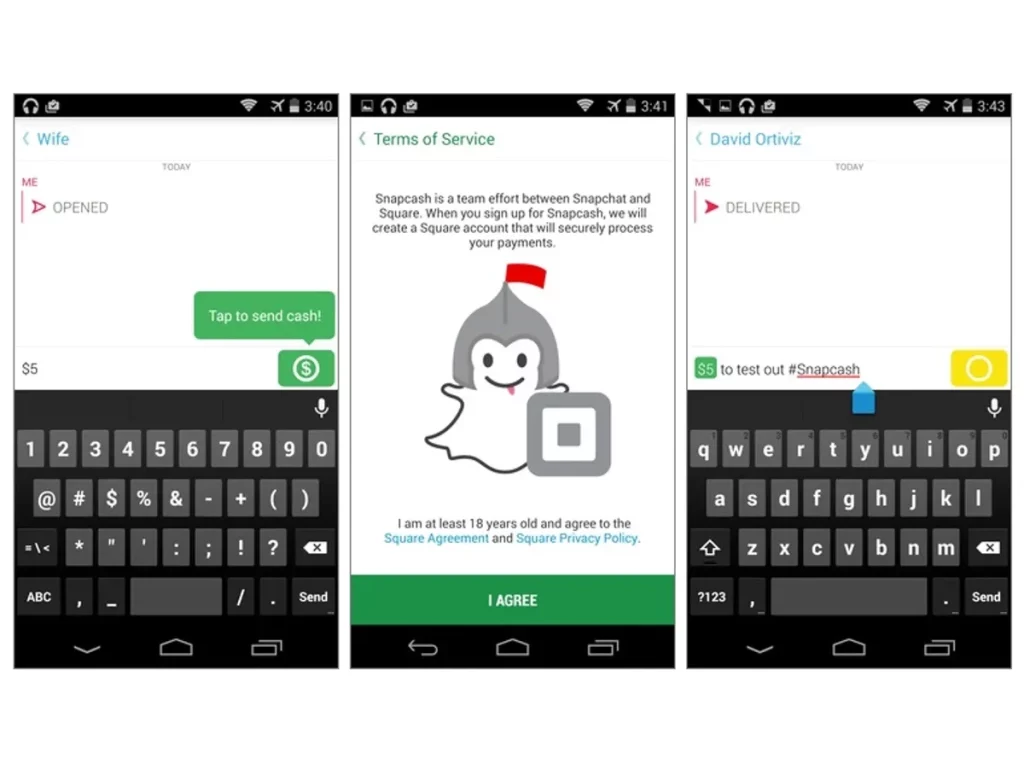
As social media platforms evolve, they increasingly integrate financial services into their offerings, making digital transactions more convenient and accessible. While Snapchat discontinued its native Snapcash feature in 2018, users still seek ways to send money through Snapchat. Send Money on Snapchat This guide will walk you through alternative methods to transfer funds securely to your Snapchat friends and explain how to use these platforms seamlessly.
Understanding the Evolution of Money Transfers on Snapchat
Snapchat initially partnered with Square to introduce Snapcash, a simple way to send money directly within the app. Despite its discontinuation, the demand for similar services persists. Here’s how you can still utilize Snapchat for financial interactions:

Alternatives to Snapcash:
- Venmo: Popular for its social feed feature.
- PayPal: Offers global money transfers.
- Cash App: Enables quick and easy transactions.
- Zelle: Integrated within many banking apps for instant transfers.
- Meta Pay: Ideal for transactions within Facebook’s network of apps.
Step-by-Step Guide to Sending Money Using Snapchat
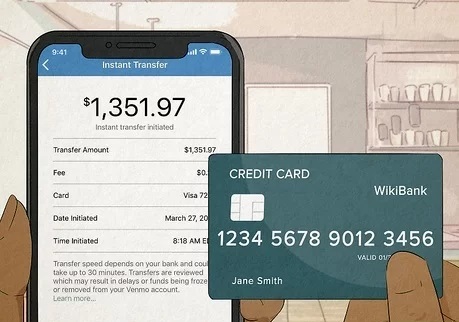
Though direct money sending is no longer available through Snapchat, you can still make payments indirectly while interacting on Snapchat. Here’s how:
Step 1: Choose Your Platform
Select a payment service that both you and your recipient use and trust. Services like Venmo, PayPal, and others offer a straightforward setup and are commonly used for small transactions.
Step 2: Set Up Your Payment Method
Ensure your chosen payment platform is linked to your bank account or debit card. Follow the specific app’s instructions to connect your payment method securely.
Step 3: Communicate with Your Recipient
Use Snapchat to discuss transaction details like the amount and the correct usernames or identifiers needed for the payment platform.
Step 4: Send the Money
Switch to the payment app, enter the agreed amount, and send the money using the recipient’s username, phone number, or email address associated with their payment account.
Step 5: Confirm the Transaction
Inform your recipient via Snapchat that you’ve sent the money. They can then confirm receipt on their end.
Safety Tips When Sending Money on Snapchat
Ensuring the security of your financial transactions on social media is crucial. Here are some tips to keep your money safe:
- Verify the recipient’s identity: Double-check usernames and other details.
- Use secure networks: Avoid public Wi-Fi when conducting financial transactions.
- Enable two-factor authentication: Add an extra layer of security to your financial accounts.
- Regularly update your apps: Keep your apps up to date to protect against vulnerabilities.
Addressing Common Issues

Troubleshooting Payment Failures
If a transaction fails, check your network settings and account balances and ensure all app versions are up to date. If problems persist, contact the support team of the payment service.
Dealing with Scams
Be cautious of unsolicited payment requests or suspicious links. Always verify the authenticity of requests by speaking directly to the person through a trusted medium.
Exploring Other Platforms for Money Transfers

While Snapchat offers convenience, exploring other platforms might suit your needs better:
- Venmo is great for small, casual transactions among friends in the U.S.
- PayPal provides extensive features for international transfers and larger amounts.
- Cash App and Zelle offer quick transfers and are integrated with other financial tools for ease of use.
Related Post: Save Snapchat Stickers to WhatsApp Like a Pro
Frequently Asked Questions About Sending Money on Snapchat
Can I still use Snapcash?
No, Snapcash was discontinued in 2018, but you can use other apps like Venmo or PayPal.
Is it safe to send money on Snapchat?
Direct money transfer isn’t available on Snapchat; ensure you use secure and reputable payment apps to transfer funds.
How do I ensure my transaction is secure?
Use apps with strong security measures, enable two-factor authentication, and verify recipient details.
Can I send money to someone internationally through Snapchat?
Snapchat itself doesn’t support international money transfers. Use services like PayPal for international transactions.
What should I do if I send money to the wrong person?
Contact the payment service’s customer support immediately to report the issue and seek assistance.
Conclusion
Though you can no longer send money directly through Snapchat, the platform remains a powerful tool for communication and social interaction. By integrating Snapchat with reliable payment apps, you can enjoy the convenience of quick money transfers while maintaining the fun and spontaneity of social media interactions.