Stream Spectrum TV on Roku: Easy Setup Guide
As a long-time Spectrum TV customer, I’ve always been impressed by their wide range of entertainment options. Recently, I discovered that I could stream Spectrum TV directly on my Roku device, and it’s been a game-changer. In this article, I’ll walk you through the easy setup process and share the benefits of streaming Spectrum TV on Roku.
Table of Contents
Benefits of streaming Spectrum TV on Roku
Streaming Spectrum TV on Roku has several advantages, making it a fantastic choice for both cord-cutters and traditional cable TV subscribers. Here are some of the key benefits:
- Convenience: With the Spectrum TV app on Roku, you can access your favorite channels and on-demand content from the comfort of your couch without needing a traditional cable box.
- Portability: The Spectrum TV app allows you to stream live TV and access your DVR recordings on the go, so you can stay entertained wherever you are.
- Enhanced Viewing Experience: Roku’s high-quality streaming capabilities and user-friendly interface provide a seamless and immersive viewing experience.
- Cost Savings: Streaming Spectrum TV on Roku can save you money compared to renting a traditional cable box, as you won’t need to pay additional equipment fees.
Compatibility and requirements for streaming Spectrum TV on Roku
Before diving into the setup process, let’s ensure your Roku device and Spectrum TV account are compatible. The Spectrum TV app is available on most Roku devices, including the Roku Express, Streaming Stick+, Roku Ultra, and Roku TV models.
To stream Spectrum TV on your Roku, you’ll need the following:
- A Roku device with the latest software version
- A Spectrum TV subscription (either standalone or as part of a Spectrum TV and Internet bundle)
- A stable internet connection with sufficient bandwidth to support streaming
Setting up Spectrum TV on Roku
Now, let’s walk through the step-by-step process of setting up Spectrum TV on your Roku device:
- Connect your Roku to your TV: If you haven’t already, connect your device using an HDMI cable.
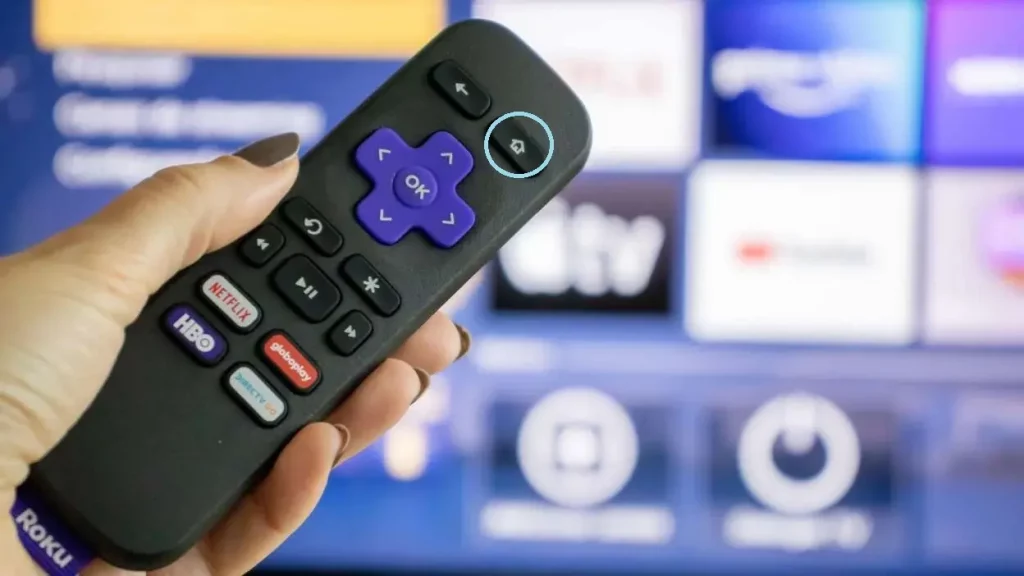
- Turn on your Roku and navigate to the Home screen. You can do this by pressing the Home button on your Roku remote.
- Search for the Spectrum TV app: Use the Roku search function to find the Spectrum TV app. You can do this by pressing the magnifying glass icon on your remote and typing “Spectrum TV.”
- Install the Spectrum TV app: Once you’ve found the app, select it and click “Add Channel” to install it on your Roku.
- Launch the Spectrum TV app: After the installation is complete, you can find the Spectrum TV app on your Roku Home screen and launch it.
Activating your Spectrum TV app on Roku
To activate your Spectrum TV app on Roku, you’ll need to follow these steps:
- Sign in to your Spectrum account: When prompted, enter your Spectrum TV username and password to sign in to your account.
- Authorize your Roku device: You may be asked to authorize your Roku device by entering an activation code displayed on your TV screen. This step helps link your Roku to your Spectrum TV account.
- Agree to the terms of service: Review and agree to the Spectrum TV app’s terms of service to complete the activation process.
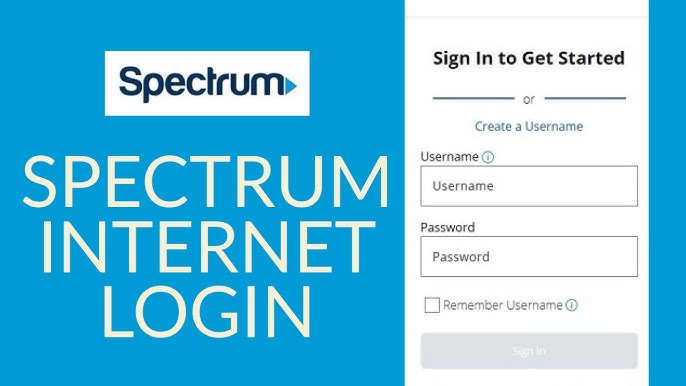
Once you’ve completed these steps, you’ll be ready to start streaming Spectrum TV on your Roku device.
Navigating the Spectrum TV app on Roku
The Spectrum TV app on Roku provides a user-friendly interface that makes it easy to find and watch your favorite content. Here’s a quick overview of the app’s main features:
- Live TV: Access a comprehensive lineup of live TV channels, including local broadcasts, news, sports, and more.
- On-Demand: Browse a vast library of on-demand movies, TV shows, and other content from various networks.
- DVR: If you have a Spectrum TV DVR, you can access and watch your recorded programs directly through the app.
- Favorites: Create a personalized list of your favorite channels and shows for quick access.
- Search: Use the app’s search functionality to search for specific titles, actors, or channels.
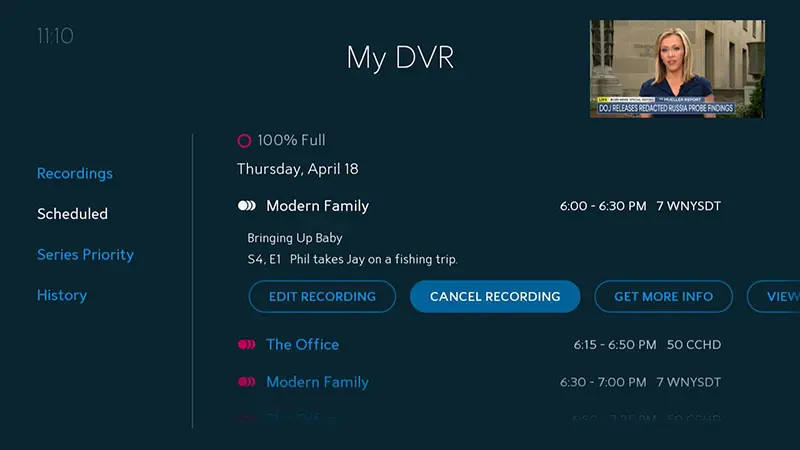
The Spectrum TV app on Roku also offers helpful features like parental controls, closed captions, and the ability to pause, rewind, and fast-forward live TV.
Troubleshooting common issues with Spectrum TV on Roku
While the Spectrum TV app on Roku is generally easy to use, you may occasionally encounter technical difficulties. Here are a few common issues and their potential solutions:
- Buffering or lagging: Ensure you have a stable and fast internet connection. You can also restart your Roku device or router to see if that resolves the issue.
- App crashes or freezes: If the Spectrum TV app is crashing or freezing, try force-quitting and reopening it. If the problem persists, you may need to reinstall the app or contact Spectrum customer support.
- Missing channels or content: Ensure your Spectrum TV subscription includes the channels or content you’re trying to access. You can also check the Spectrum TV app’s settings to ensure all your channels are enabled.
- Activation issues: If you’re having trouble activating the Spectrum TV app on your Roku, double-check your account credentials and try the activation process again. You can also contact Spectrum customer support for further assistance.
By addressing these common issues, you can ensure a smooth and enjoyable Spectrum TV viewing experience on your Roku device.
Spectrum TV on Roku vs. other streaming options
While Spectrum TV on Roku is a fantastic choice for many viewers, it’s worth comparing it to other popular streaming options to help you decide what’s best for your needs.
| Feature | Spectrum TV on Roku | YouTube TV | Hulu + Live TV |
|---|---|---|---|
| Live TV Channels | Comprehensive Spectrum TV channel lineup | Over 85 live TV channels | Over 75 live TV channels |
| DVR Capabilities | Access to your Spectrum TV DVR recordings | Unlimited cloud DVR storage | 50 hours of cloud DVR storage |
| On-Demand Content | Extensive on-demand library from Spectrum | On-demand content from various networks | On-demand content from Hulu and partner networks |
| Pricing | Included in your Spectrum TV subscription | $64.99/month | $69.99/month |
As you can see, Spectrum TV on Roku offers a seamless and cost-effective way to access your existing Spectrum TV subscription, with the added convenience of streaming on your Roku device. However, services like YouTube TV and Hulu + Live TV may be worth considering if you want a standalone live TV streaming option with a broader channel selection and additional features.
Also Read: How to Install Kodi on Chromebook: Step-by-Step Guide
Frequently Asked Questions
Q: Can I stream Spectrum TV on multiple Roku devices with the same account?
A: You can stream Spectrum TV on multiple Roku devices using the same Spectrum TV account. However, remember that your Spectrum TV subscription plan may limit the number of simultaneous streams.
Q: Does the Spectrum TV app on Roku support 4K streaming?
A: The Spectrum TV app on Roku supports 4K streaming for compatible channels and devices. You’ll need a Roku device that supports 4K resolution and a Spectrum TV subscription with 4K content to take advantage of this feature.
Q: Can I access my Spectrum TV DVR recordings on the Roku app?
A: Absolutely! One of the key benefits of the Spectrum TV app on Roku is the ability to access and watch your DVR recordings directly on your Roku device.
Q: Is there a monthly fee for using the Spectrum TV app on Roku?
A: No, there is no additional monthly fee for using the Spectrum TV app on Roku. As long as you have an active Spectrum TV subscription, you can stream Spectrum TV on your Roku device at no extra cost.
Q: Can I download the Spectrum TV app on my Roku device?
A: You can download the Spectrum TV app directly from the Roku Channel Store. The app is free and can be easily installed on your Roku device.
To start streaming Spectrum TV on your Roku device today, [click here] to learn more and sign up for a Spectrum TV subscription.
Conclusion
Streaming Spectrum TV on Roku has been a game-changer for me, offering the convenience of on-demand and live TV content without a traditional cable box. The setup process is straightforward, and the Spectrum TV app provides a user-friendly interface that makes it easy to access your favorite shows and channels.
Whether you’re a long-time Spectrum TV subscriber or are considering cutting the cord, I recommend exploring the benefits of streaming Spectrum TV on Roku. Its comprehensive channel lineup, DVR integration, and seamless viewing experience make it a fantastic option that can save you money and provide endless entertainment.