How Does Chromecast with Phone Work?
Chromecast with Phone seamlessly streams content from smartphones or tablets to TVs, allowing users to enjoy digital content on the big screen. This technology allows users to watch movies, share presentations, or stream music, making it easy to enjoy content on the big screen.
Table of Contents
How does Chromecast with a Phone work?
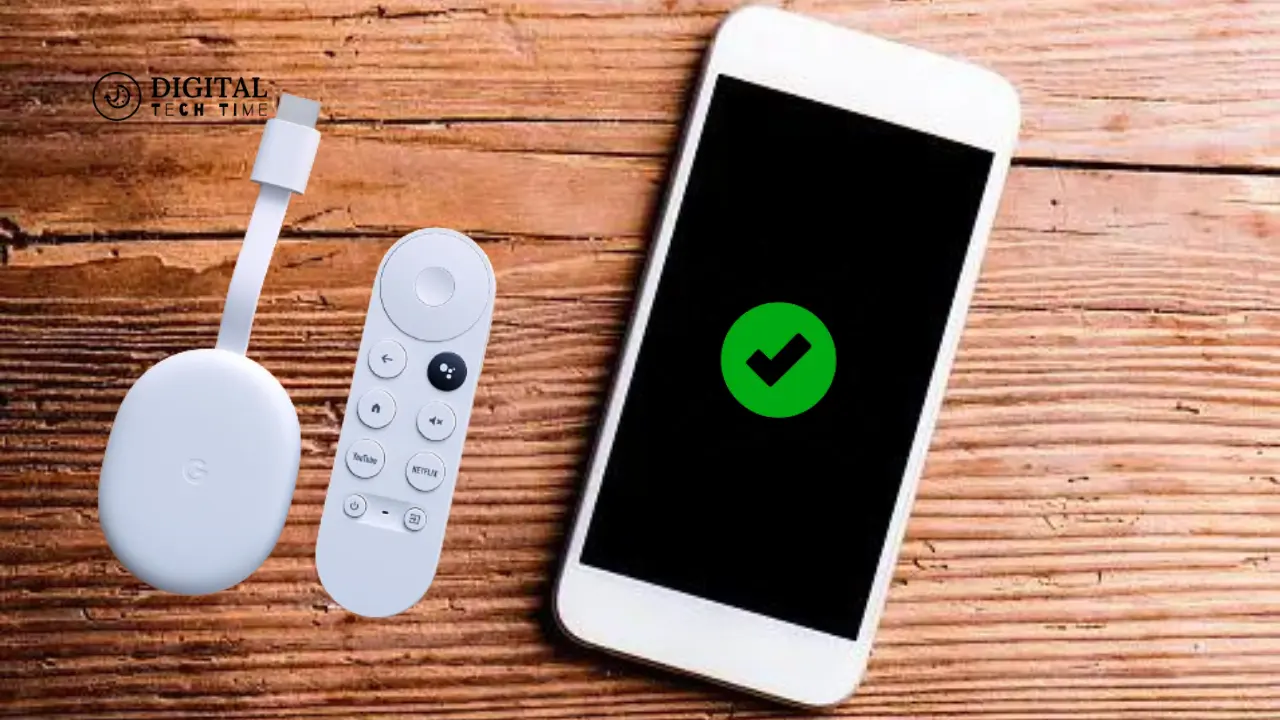
At the heart of Chromecast with Phone’s functionality is its ability to act as a wireless bridge between your mobile device and your TV. When you initiate a cast from your smartphone or tablet, Chromecast with Phone receives the content signal and transmits it directly to your television, allowing you to view the content on the big screen.
The process is relatively simple:
- Connect Chromecast with Phone to your TV: First, you’ll need to connect the Chromecast device to an available HDMI port. Once connected, the Chromecast will automatically power on and connect to your Wi-Fi network.
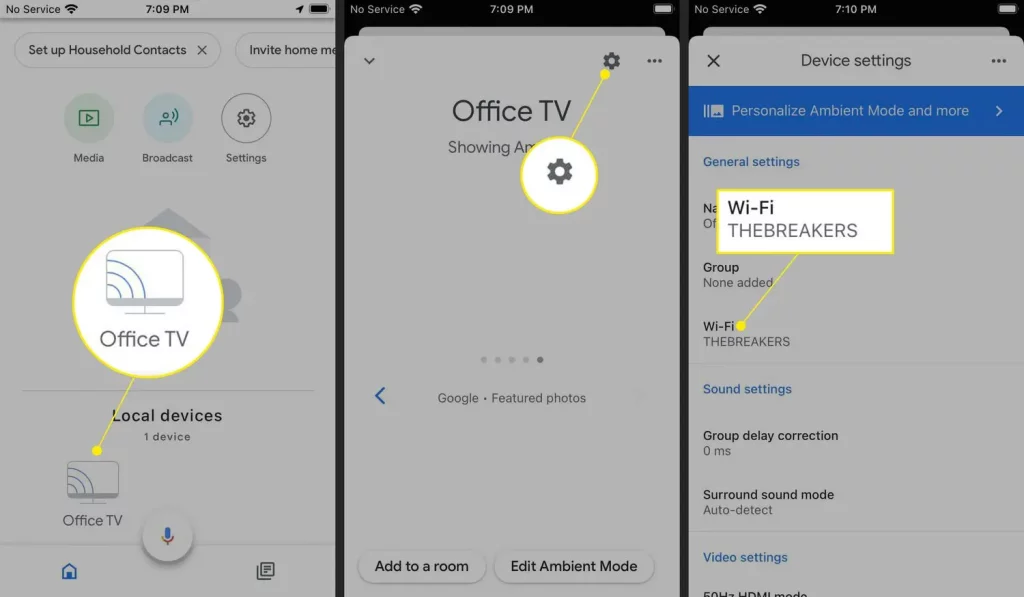
- Install the Google Home app: Next, you’ll need to download the Google Home app on your mobile device and set up your Chromecast. This process involves connecting the Chromecast to your Wi-Fi network and configuring any necessary settings.
- Cast content from your device: Once your Chromecast is set up, you can start casting content from your smartphone or tablet. Open a compatible app, look for the Chromecast icon (usually a TV-shaped symbol), and tap it to initiate the casting process.
- Enjoy your content on the big screen: As soon as you tap the Chromecast icon, your mobile device will transmit the content signal to the Chromecast, displaying the content on your TV. You can continue to use your mobile device for other tasks while the content is being cast.
The beauty of Chromecast with Phone lies in its seamless integration with your existing digital ecosystem. By leveraging the power of your mobile device and the convenience of your TV, Chromecast with Phone allows you to enjoy a truly immersive and versatile entertainment experience.
Setting up Chromecast with Phone
Setting up Chromecast with a Phone is a straightforward process that typically takes just a few minutes. Here’s a step-by-step guide to get you started:
- Connect the Chromecast device to your TV: Plug the Chromecast into an available HDMI port and connect the included power cable to a power source.
- Download the Google Home app: On your mobile device, download the Google Home app from the App Store (for iOS) or Google Play Store (for Android).
- Set up the Chromecast: Open the Google Home app and follow the on-screen instructions to set up your Chromecast. This will involve connecting the Chromecast to your Wi-Fi network and configuring any necessary settings.
- Connect your mobile device to the same Wi-Fi network: Make sure your smartphone or tablet is connected to your Chromecast’s Wi-Fi network.
- Start casting: Once the setup is complete, you can begin casting content from your mobile device to your TV. Open a compatible app, look for the Chromecast icon, and tap it to initiate the casting process.
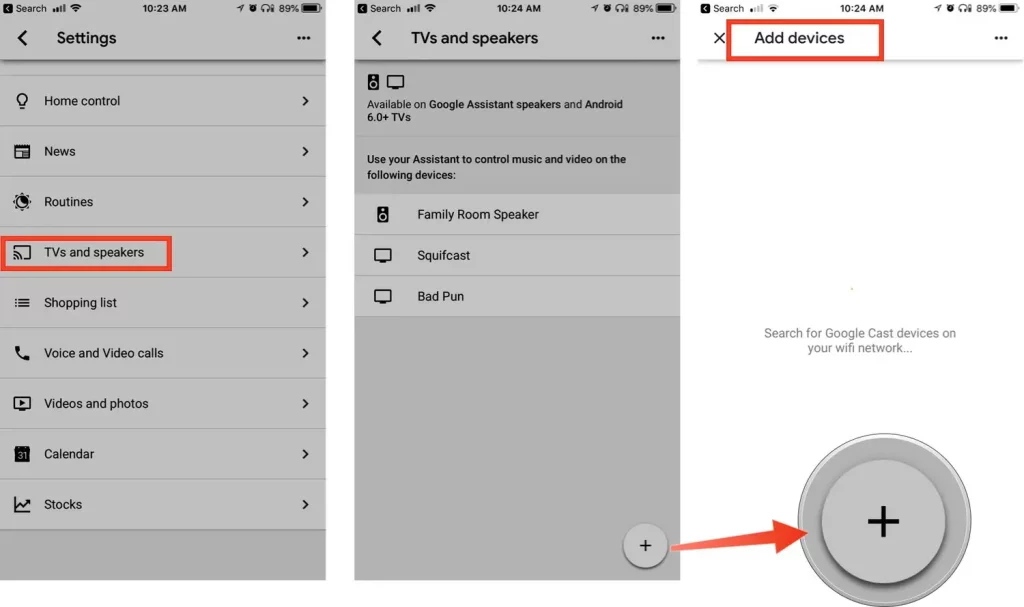
It’s important to note that the specific setup process may vary slightly depending on your device and the version of the Google Home app you have installed. However, the general steps outlined above should provide a solid foundation for getting your Chromecast Phone up and running.
Supported Apps and Devices for Chromecast with Phone
One of the critical advantages of Chromecast with Phone is its broad compatibility with a wide range of apps and devices. Whether using an iOS, Android, or Windows device, Chromecast with Phone has you covered.
Here are some of the most popular apps and devices that are compatible with Chromecast with Phone:
Supported Apps:
- Streaming services: Netflix, Hulu, Disney+, Amazon Prime Video, YouTube, Spotify, and more
- Productivity apps: Google Slides, Microsoft PowerPoint, Google Chrome, and more
- Social media apps: Facebook, Instagram, Twitter, and more
- Gaming apps: Twitch, Steam, and more
- And many more!
Supported Devices:
- Smartphones: iOS (iPhone), Android, and Windows devices
- Tablets: iPad, Android tablets, and Windows tablets
- Laptops: MacBooks, Windows laptops, and Chromebooks
- Desktops: Windows PCs and iMacs
The wide range of supported apps and devices makes Chromecast with Phone a versatile and convenient solution for streaming and sharing content across various platforms. Whether at home, in the office, or on the go, Chromecast with Phone can help you seamlessly connect your mobile devices to your TV for a truly immersive entertainment or productivity experience.
Alternatives to Chromecast with Phone
While Chromecast with Phone is a trendy and widely used device, streaming content from your mobile device to your TV is not the only option. Here are some alternative solutions you may want to consider:
- Apple AirPlay: If you’re an iOS user, you can use Apple’s AirPlay technology to stream content from your iPhone, iPad, or Mac to your TV. AirPlay is compatible with a wide range of smart TVs and streaming devices, making it a viable alternative to Chromecast with Phones.
- Amazon Fire TV Stick: Amazon’s Fire TV Stick is a popular streaming device that allows you to cast content from your mobile device to your TV. It’s compatible with various apps and services and offers a user-friendly interface.
- Roku Streaming Stick: Roku’s Streaming Stick is another popular option for streaming content from your mobile device to your TV. It offers a wide range of app support and a clean, intuitive user interface.
- Smart TV built-in casting: Many modern smart TVs come with built-in casting capabilities, allowing you to stream content directly from your mobile device without needing an additional device.
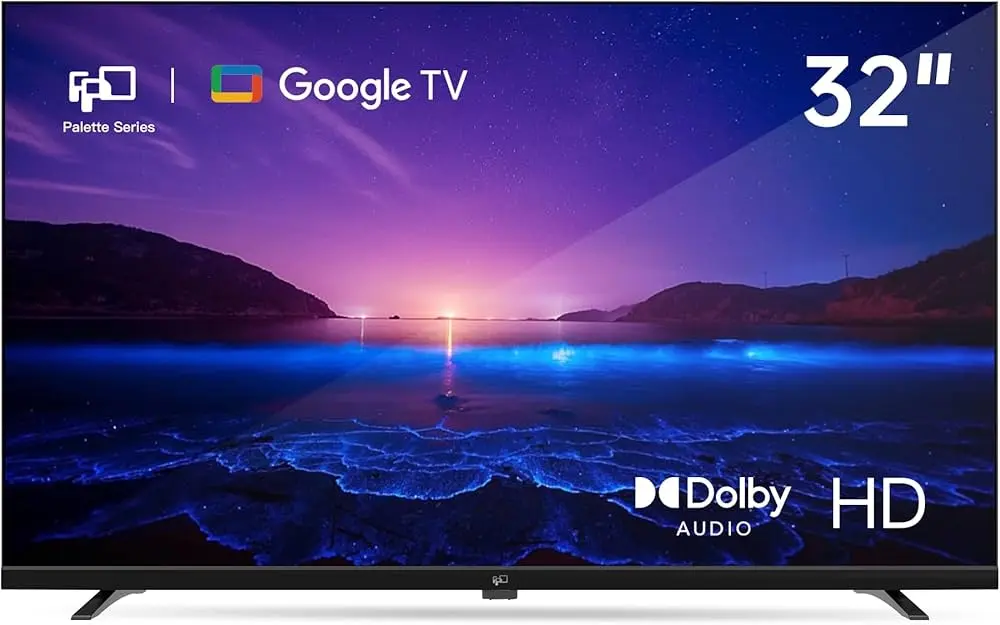
Each of these alternatives has unique features and capabilities, so it’s essential to consider your specific needs and preferences when choosing the right solution for your home entertainment setup.
Also Read: How to Use Spotify on Chromebook and Enjoy Seamless Tunes
Frequently Asked Questions
Q: Does Chromecast with Phone work with any TV?
A: Chromecast with Phone is designed to work with most modern televisions with an available HDMI port. However, ensuring that your TV is compatible with the Chromecast device and supports the necessary wireless connectivity is essential.
Q: Can I use Chromecast with Phone for video conferencing?
A: Yes, Chromecast with Phone can be used for video conferencing. By casting apps like Google Meet, Zoom, or Microsoft Teams from your mobile device, you can share your screen and participate in virtual meetings on the larger TV screen.
Q: Does Chromecast with Phone support 4K or HDR video?
A: The latest Chromecast with Google TV model supports 4K video resolution and HDR (High Dynamic Range) for an enhanced viewing experience. However, the supported video quality may vary depending on the specific Chromecast device you are using and the capabilities of your television.
Q: Can I use Chromecast with my Phone for gaming?
A: While Chromecast with Phone is primarily designed for media streaming and content sharing, some cloud gaming services like Google Stadia or NVIDIA GeForce NOW can be cast to your TV, allowing you to enjoy a more considerable gaming experience.
Q: Is there a monthly subscription fee for using Chromecast with a Phone?
A: No monthly subscription fee exists for using Chromecast with a phone. The device is a one-time purchase, and you can access a wide range of free and paid streaming services through the supported apps.
Conclusion
Chromecast with Phone is a remarkable technology that has revolutionized how we interact with our televisions and mobile devices. By seamlessly bridging the gap between these two platforms, Chromecast with Phone offers a versatile and user-friendly entertainment, productivity, and collaboration solution.
Whether streaming your favorite shows, sharing presentations, or simply mirroring your mobile screen, Chromecast with Phone provides a seamless and engaging experience. Its widespread app support, easy setup, and compatibility with a wide range of devices make it a compelling choice for anyone looking to enhance their digital lifestyle.