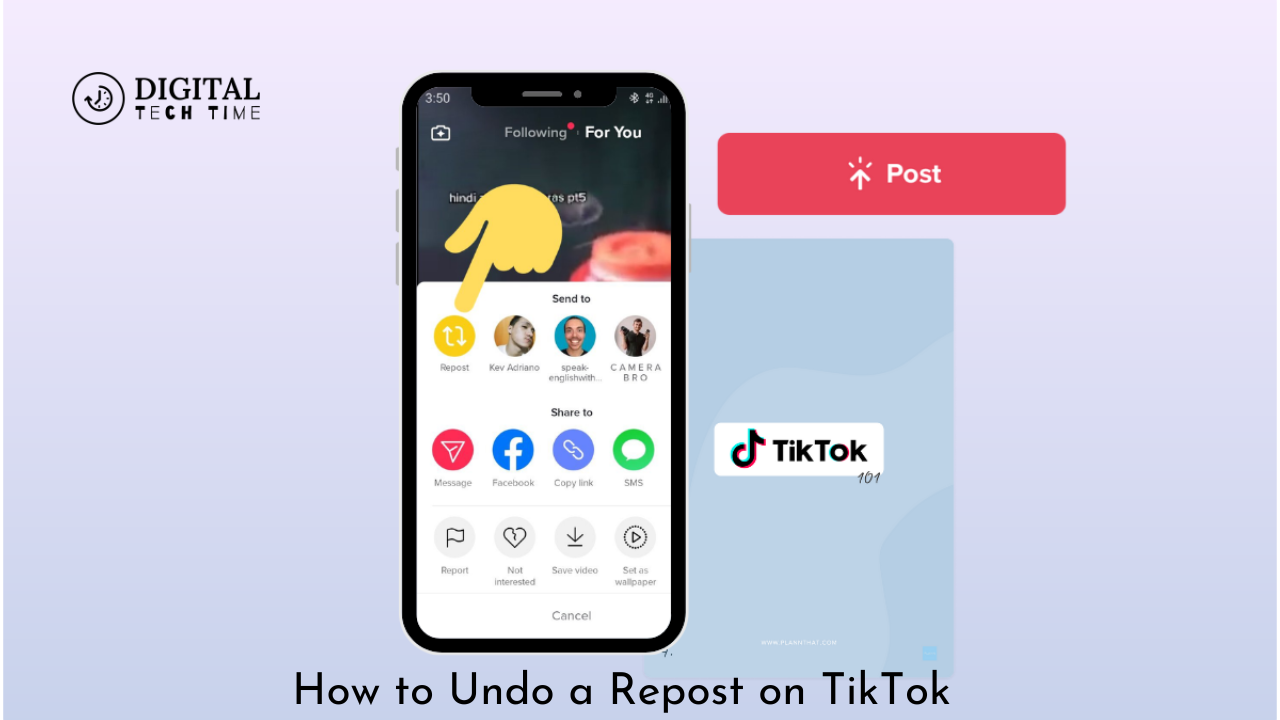
How to Undo a Repost on TikTok: Quick and Easy Steps
TikTok has become a haven for creative, engagingly short videos, and thanks to the Repost feature, you can share your favourite content right in-app. However, you may sometimes accidentally repost a video or just think a repost doesn’t fit your profile anymore. If you’re wondering how to undo a repost on TikTok, this is where you need to be. It will guide you through how to remove the reposted video, ensuring that you can do so regarding content on your TikTok.
Table of Contents
How to Undo a Repost on TikTok
Step-by-Step Guide to Removing a Repost
- Locate the Reposted Video
- Open the TikTok app and go to your profile by tapping on the “Profile” icon at the bottom right of the screen.
- Find the video you have reposted. It will be visible on your profile and may also appear on a special page dedicated to reposts.
- Access the Share Menu
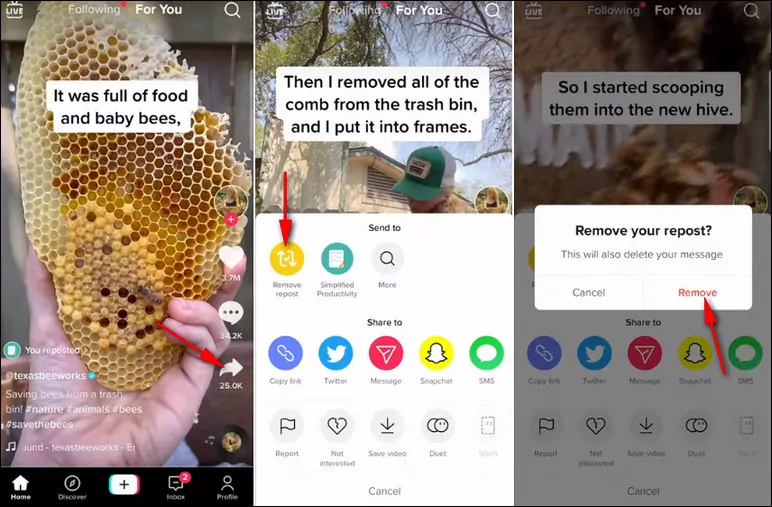
- Once you have located the reposted video, tap on it to open it.
- Look for the share icon, which is represented by an arrow pointing to the right. This icon is located on the right side of the video screen.
- Select ‘Remove Repost’
- Tap on the share icon to open the share menu.
- Look for the option labeled “Remove repost.” This option allows you to undo the repost action.
- Confirm the Removal
- A pop-up window will appear asking you to confirm that you want to remove the repost.
- Confirm your decision by tapping “Remove” or “Confirm” as prompted.
What to Do If You Can’t Find the ‘Remove Repost’ Option
If you cannot find the “Remove repost” option, it could be due to a few reasons:
- Timing: If a significant amount of time has passed since you reposted the video, the option might no longer be available.
- App Update: Ensure that your TikTok app is updated to the latest version, as features and options can vary between updates.
Additional Tips for Managing Your Reposts
Regularly Review Your Reposted Content
To avoid the need to undo reposts frequently:
- Review Regularly: Check your profile and reposted content regularly to ensure it aligns with your current interests and goals.
- Organize Content: Use TikTok’s tools to manage and organize your content effectively.
Avoid Accidental Reposts
To minimize the risk of accidentally reposting content:
- Be Cautious with Buttons: Pay close attention when using the share and repost features to avoid unintentional actions.
- Familiarize Yourself with the Interface: Understanding TikTok’s layout and options can help prevent mistakes.
Related Post: How to Fix TikTok Video Stuck at Uploading
Frequently Asked Questions
Can I Undo a Repost Immediately After It Has Been Posted?
Yes, you can undo a repost immediately after posting by following the steps outlined above. However, the sooner you remove it, the less likely it is that other people will have seen it.
Will the Removal of a Repost Have Anything on the Visibility of the Original Video?
No, that won’t happen. The original video will remain there; it won’t vanish. Your reposts will not affect the posts of the original creator.
What If I Don’t See the ‘Remove Repost’ Option?
If you don’t see the “Remove repost” feature, ensure that your app is updated to the latest version, close the app, and restart it again. In case the option is still not visible, then it is better to reach out to TikTok support.
Conclusion
Knowing how to undo a repost on TikTok is very important in managing your content and making sure that your profile reflects your interests and preferences at the moment. No matter whether you have been caught in an accidental video repost or just changed your mind about that very video, it is easy to follow only a few simple steps to delete such a post. This, if followed by the letter, will help keep up a clean and relevant TikTok feed for better experiences on the site.