The Ultimate Guide to Finding the Best Browser for Android: A Comprehensive Review and Comparison
As an avid Android user and a digital enthusiast, I have spent a significant amount of time exploring and evaluating the numerous browsers available for this platform. In this ultimate guide, I aim to share my comprehensive review and comparison of Android browsers to assist you in finding the best browser for Android that suits your needs.
Introduction to Best Browsers for Android
Android ecosystem offers a wide range of web browsers, enhancing the user experience with fast loading times, comprehensive security, and user-friendly navigation. With the increasing online time, a reliable and efficient browser is crucial.
The browser market has evolved significantly, with Android devices now offering a wide range of options beyond the pre-installed browser. It’s crucial to understand the significance of selecting the right browser for your Android device to navigate the market effectively.
What makes a browser ideal for one user may not suit another. Personal preferences, usage patterns, and prioritization of features like speed, privacy, or customization options play a significant role in the selection process. As we delve deeper into this guide, I’ll share insights on what to consider when picking a browser and how to weigh the various features against each other.
list of the best browsers for Android
Android is a popular operating system that offers a variety of browsers, each known for its speed, security, and user-friendly features.
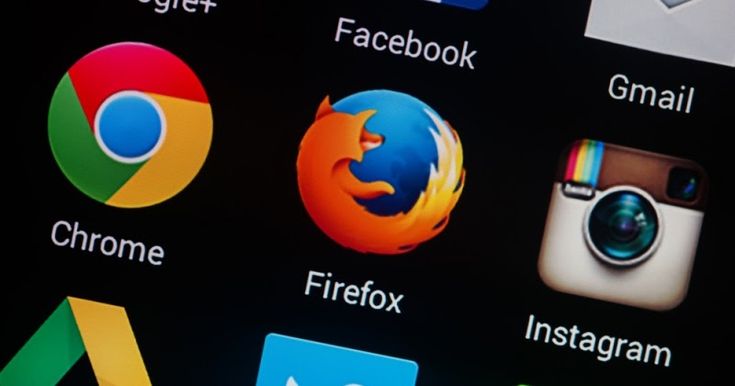
- Google Chrome: Known for its fast performance, seamless Google account integration, and robust security features.
- Mozilla Firefox: Offers strong privacy controls, a wide range of extensions, and a focus on user security.
- Samsung Internet Browser: Popular among Samsung device users, known for its efficiency and integration with Samsung hardware.
- Opera: Features a built-in ad blocker and VPN for enhanced privacy, along with a user-friendly interface.
- Microsoft Edge: Provides seamless synchronization with Windows 10, along with features like a reading mode and voice search.
- Brave Browser: Focuses on privacy and security with built-in ad blocking and tracker protection.
- DuckDuckGo Privacy Browser: Offers robust privacy protections and doesn’t track your browsing activity.
- Vivaldi: Highly customizable with unique features like tab stacking and note-taking functionality.
Please note that the best browser can vary depending on personal preferences, specific needs, and device compatibility. Regular updates and new releases might also introduce new features or improvements to these browsers.
Factors to consider when choosing a browser for Android
When it comes to selecting the best web browser for Android, several key factors should influence your decision. Here, I will break down the most important elements to keep in mind.
Firstly, speed is a top priority for many. A browser that loads pages quickly and responds promptly to your inputs can save you time and frustration. Performance is closely linked to speed, and it’s vital to ensure that the browser can handle complex websites and multitasking without crashing or slowing down your device.
Secondly, privacy and security features are of paramount importance. In an age where data breaches are common, a browser that protects your personal information and browsing habits is a must-have. Look for features like incognito mode, tracker blocking, and the option to control your data permissions.
Customization is another aspect that can greatly impact your browsing experience. The ability to tailor the browser’s interface, themes, and settings to your liking can make web surfing more enjoyable and efficient. Additionally, consider the browser’s ability to integrate with other services and platforms you use.
Lastly, data consumption and ad-blocking abilities should not be overlooked. A browser that can compress data and block intrusive ads can save you bandwidth and provide a cleaner browsing experience, which is especially beneficial if you’re on a limited data plan or frequently encounter slow network speeds.
Popular Android browsers in the market
Here’s a table summarizing some popular Android browsers in the market along with their key features:
| Browser | Key Features |
|---|---|
| Google Chrome | Fast performance, Google account integration, robust security |
| Mozilla Firefox | Privacy controls, extensions, user security focus |
| Samsung Internet | Efficiency, Samsung hardware integration, user-friendly |
| Opera | Built-in ad blocker and VPN, customizable interface |
| Microsoft Edge | Sync with Windows 10, reading mode, voice search |
| Brave | Privacy-focused, ad blocking, tracker protection |
| DuckDuckGo | Strong privacy protections, no tracking |
| Vivaldi | Customizable, tab stacking, note-taking tools |
The market is brimming with a variety of best internet browsers for Android, each vying for your attention. Google Chrome, being developed by the creator of the Android operating system itself, is often the go-to choice for many users due to its seamless integration and familiarity. However, Chrome is just the tip of the iceberg.
Mozilla Firefox, known for its commitment to privacy and open-source nature, is another heavyweight that has won the trust of many users. Opera, with its innovative features like a built-in VPN and data compression, also holds a significant place in the Android browser space.
Microsoft Edge, which has recently made its way to Android, brings features like “Continue on PC,” appealing to those invested in the Windows ecosystem. Other notable mentions include Brave Browser, known for its ad-blocking capabilities and privacy focus, and DuckDuckGo Privacy Browser, which emphasizes keeping your online activities private.
Exploring the unique selling points of these browsers will help you understand the diversity of options available and what each browser could potentially offer you in terms of convenience, security, and overall user satisfaction.
Comparison of features and performance
Comparing the best browsers for Android 2024 requires a detailed look into their features and performance metrics. Speed tests, for example, can reveal how quickly each browser loads web pages under various network conditions. Benchmarks that measure browser performance, such as JavaScript execution speed, are also valuable indicators of how well a browser can handle dynamic content.
Privacy features also vary widely among browsers. While some may offer only basic private browsing modes, others go the extra mile with enhanced tracking protection, encryption, and even options to block fingerprinting techniques. The availability of extensions or add-ons can further bolster a browser’s capabilities, allowing users to add specific functionalities tailored to their needs.
User interface and design are subjective but essential aspects of any app, and browsers are no exception. The ease of accessing bookmarks, history, and tabs can significantly affect the overall user experience. Performance optimization for different types of Android devices, including those with lower specifications, is another critical factor to consider when comparing browsers.
By taking these features and performance aspects into account, we can start to form a clearer picture of which browsers stand out and why they may be the best choice for your Android device.
Best browser for speed and performance
When it comes to raw speed and performance, one browser consistently stands out from the rest: Google Chrome. Thanks to its powerful rendering engine and tight integration with the Android system, Chrome offers blazing-fast page loads and smooth scrolling, even on complex websites.
Another strong contender is Mozilla Firefox, particularly with its recent updates that have significantly improved its performance. Firefox’s Quantum engine has been optimized to take advantage of multiple CPU cores, which is common in modern Android devices, making it a much speedier option than it once was.
Opera is also worth mentioning for its Turbo mode, which compresses web pages on Opera’s servers before sending them to your device. This can lead to faster loading times, especially on slower networks, and can also save data.
In this highly competitive space, these browsers have continuously optimized their performance to ensure that users don’t have to wait around for pages to load. Let’s take a closer look at how each of these browsers delivers in terms of speed and performance.
Best browser for privacy and security
Privacy and security are at the forefront of many users’ minds when choosing a browser. The best internet browser for Android in terms of these aspects is one that offers robust protection against tracking, malware, and phishing attacks.
Brave Browser takes a strong stance on privacy, with default settings that block trackers and ads that can compromise your browsing experience. It also features HTTPS Everywhere, ensuring that your connections to websites are always secured whenever possible.
Firefox also deserves recognition for its privacy features. With its Enhanced Tracking Protection, it blocks many common trackers by default. Moreover, it provides an extensive range of privacy controls that let users fine-tune their browsing experience to their comfort level.
DuckDuckGo Privacy Browser is another notable mention, with a clear focus on keeping your online activities private. It doesn’t track your searches, and it provides a privacy grade rating for each site you visit, giving you a quick overview of the site’s privacy practices.
Let’s dive deeper into the privacy and security features of these browsers to understand how they can help keep your personal information safe.

Best browser for customization and user experience
Customization can significantly enhance the user experience by allowing you to personalize the browser to fit your preferences and workflow. The best browser for Android in this category provides a high level of flexibility and a user-friendly interface.
Mozilla Firefox stands out with its support for extensions, which can be used to add a wide range of functionalities to the browser. From ad-blockers to password managers, the ability to customize your browser with additional features is a substantial benefit.
Opera’s user interface is also noteworthy, offering a Speed Dial feature that allows you to access your favorite sites quickly. It also has a built-in news feed that can be customized to show content that is relevant to your interests.
Google Chrome, while not as customizable as Firefox, offers a clean and intuitive interface that many users appreciate. It also allows for some personalization through themes and by adjusting settings to your liking.
Let’s explore the customization options and user experience nuances of these browsers to see how they stack up against each other.
Best browser for ad-blocking and data saving
Ads can be intrusive and consume a significant amount of data, which is why having a browser with effective ad-blocking capabilities is crucial for many users. Additionally, data-saving features are essential for those with limited data plans or slow network connections.
Brave Browser comes out on top in this category, with its integrated ad-blocker that not only removes ads but also prevents ad trackers from following you across the web. This not only improves privacy but also speeds up page loading times and reduces data usage.
Opera also has an excellent reputation for data saving. Its Opera Mini version is specifically designed for data conservation, compressing web pages before they reach your device, which can lead to substantial data savings.
Google Chrome offers a Data Saver feature that, when enabled, also compresses web pages on Google’s servers, similar to Opera’s Turbo mode. This feature is particularly useful when browsing on a mobile network.
In this section, we’ll take a closer look at how these browsers help you block unwanted ads and save on your data usage, making your browsing experience smoother and more cost-efficient.
ad-blocking app on android
Here’s a table listing some popular ad-blocking apps for Android along with their descriptions:
| Ad Blocking App | Description |
|---|---|
| AdBlock Plus | Popular browser extension now available as an app, blocks ads across apps and browsers. |
| AdGuard | Comprehensive ad blocker that works with both apps and browsers, offers additional privacy features. |
| Blokada | Open-source ad blocker that uses VPN to block ads, works without root access. |
| DNS66 | Uses VPN service to block ads at the DNS level, open-source and free to use. |
| TrustGo Ad Detector | Detects and warns about apps with aggressive ads and tracking, enhances privacy. |
| NetGuard | Combines ad blocking with firewall functionalities, no root required. |
| AdAway | Blocks ads by modifying host files, requires root access but effective across all apps. |
| NoRoot Ad-Remover Lite | Designed for devices without root, blocks ads in certain apps and games. |
Future trends in Android browsers
The landscape of Android browsers is constantly evolving, with new features and technologies emerging regularly. Staying abreast of these developments can give us a glimpse into the future of mobile browsing and what we can expect from the best browser for Android in the coming years.
One trend that is gaining momentum is the integration of artificial intelligence and machine learning. These technologies can be used to personalize the browsing experience, predict user behavior, and provide content recommendations. Privacy and security are also expected to become even more sophisticated, with advanced protection against emerging threats.
Another exciting development is the rise of browsers that focus on blockchain and cryptocurrency, providing built-in wallets and support for decentralized applications (dApps). As the digital landscape becomes more diverse, these features could become a staple in the browsers of the future.
Lastly, we can anticipate further improvements in speed and performance as browser developers continue to optimize their software for the latest hardware advancements. With 5G networks on the horizon, browsers will need to be ready to take advantage of faster speeds and lower latency.
Let’s delve into the innovations that are shaping the future of Android browsers and how they might change the way we interact with the web.
Conclusion and final recommendations
After thoroughly reviewing and comparing the various browsers available for Android, it’s time to conclude and offer my final recommendations. Finding the best browser for Android is a personal choice, and it depends on what you prioritize: speed, privacy, customization, data saving, or perhaps a balanced combination of all these elements.
For those who prioritize speed and performance, Google Chrome remains a top choice due to its optimization and quick page loading capabilities. If privacy and security are your main concerns, Brave Browser and Firefox offer robust protection against trackers and other online threats.
For a highly customizable browsing experience, Firefox is unmatched with its support for extensions and personalization options. And for users who want to conserve data and block ads, Brave Browser and Opera are excellent options to consider.
In conclusion, my final recommendation is to try out multiple browsers and see which one aligns best with your preferences and needs. With the ever-changing landscape of Android browsers, keeping an open mind and exploring new options is the key to finding your perfect browsing companion.
Thank you for joining me on this journey to discover the best browser for Android. I hope this guide has been helpful, and I encourage you to share your experiences and thoughts on your favorite browsers. Happy browsing!
Table of Contents
guiadenoivos.saojosedojardimeuropa.com.br
beyond.globalpranichealing.com/about/
ejournal.akbidbungabangsaaceh.ac.id